Vans Coupon Not Working? Check Dates and Order Terms
Inside this note
Seeing a coupon on a product page doesn't guarantee it will work at checkout. For Vans fall/winter skate shoes on fashion-reps, buyers should first confirm the exact shoe model, color, and size, then check the coupon's validity period, order minimums, exclusions, regional restrictions, and payment conditions, and finally rely on the amount shown at checkout. This article does not provide unverified coupon codes and cannot p
Seeing a coupon on a product page doesn't guarantee it will work at checkout. For Vans fall/winter skate shoes on fashion-reps, buyers should first confirm the exact shoe model, color, and size, then check the coupon's validity period, order minimums, exclusions, regional restrictions, and payment conditions, and finally rely on the amount shown at checkout. This article does not provide unverified coupon codes and cannot promise savings. 🔎
Defining the Scope for Checking Vans Skate Shoe Coupon Issues
First, distinguish three scenarios: the coupon entry cannot be found, the coupon can be claimed but cannot be applied, and the coupon is applied but the total due does not change. Each has a different resolution, and not all can be blamed on an expired coupon.
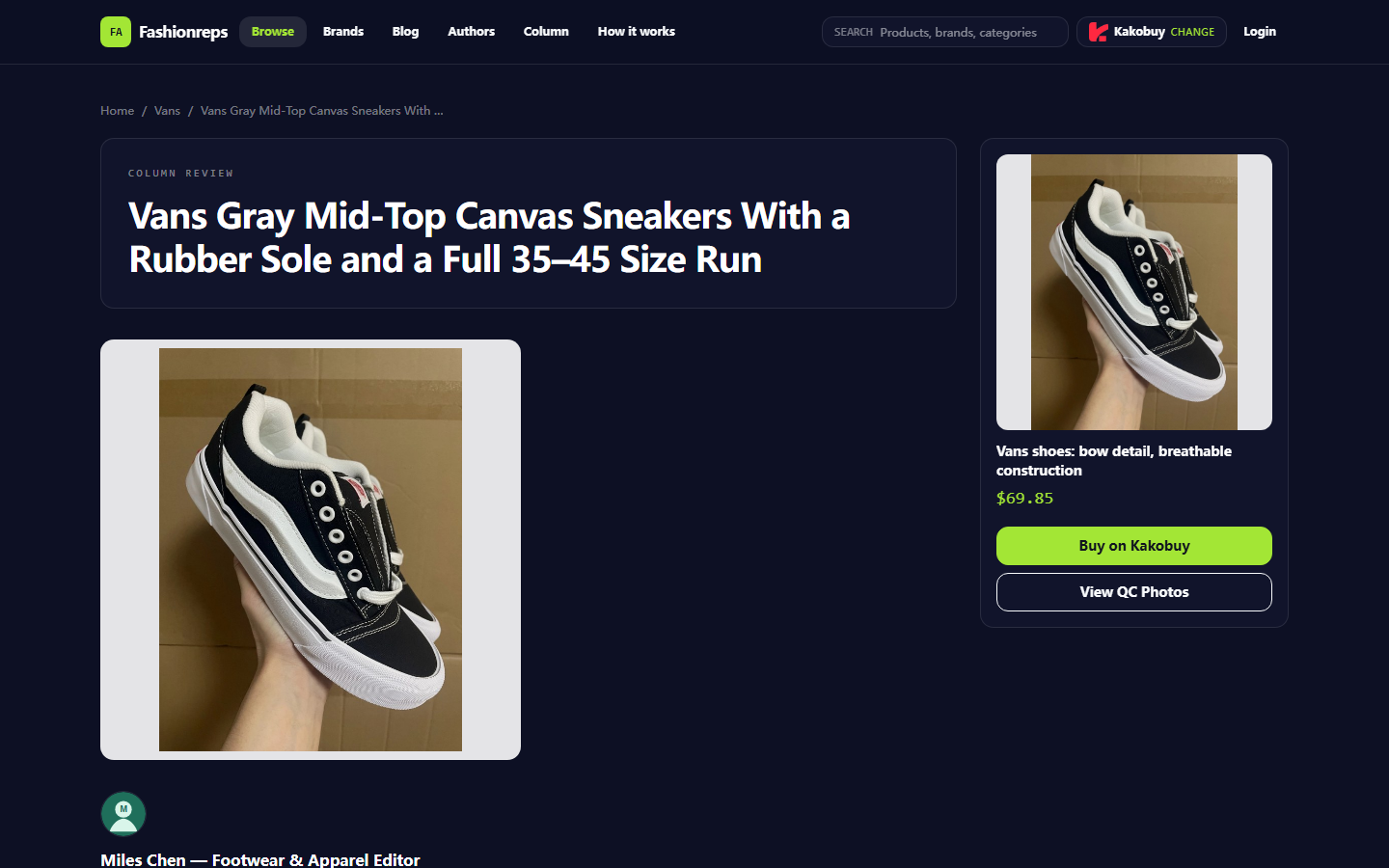
This article focuses on Vans mid-top canvas shoes listed on fashion-reps. The page shows the item is a gray mid-top canvas shoe with a rubber outsole, sizes 35–45, and a reference price of $69.85. The page also states that final item price, service fees, and international shipping must be confirmed on the shopping agent platform. The page indicates an update date of September 26, 2026, but that is not proof the coupon is still valid.
If the order is not for the same exact item, color, or size, do not apply results from other variants. The page also notes there are no buyer reports for this SKU, so do not treat reviews of other Vans mid-top models as evidence of this item's coupon or quality. ⚠️

Confirm Shoe Model, Color, and Size Variant from the fashion-reps Product Page
Before copying product information or entering a shopping agent, record the following:
- Product name and page URL
- Selected color
- Selected size
- Displayed reference price
- Whether the product page still opens normally
- Whether the page clearly shows a product name and visible specifications
The purpose of this step is to avoid applying the coupon to the wrong item. The page has inconsistent attribute descriptions, such as mentioning mid-top canvas shoes alongside bowknot, tassel, and other decorative terms, so rely on the actual image, name, and specs of the selected variant. If color or style cannot be confirmed, ask the seller for the exact model before ordering; do not place an order just to use a coupon.
Size can also affect order conditions. Some coupons may be limited to specific item combinations or minimum item value, and changing size usually should not change whether the item is in the promotion, but color, style, or inventory grouping may affect eligibility. Before checkout, reconfirm that the selected variant has not been swapped by the system.
Record Coupon Name, Validity Period, and Terms Shown on the Target Site
If the fashion-reps page or shopping agent checkout displays coupon information, record all visible content completely, not just the discount percentage. At minimum include:
- Coupon name or promotion name
- Start and end time
- Minimum order amount
- Eligible or excluded items
- Applicable countries or regions
- Whether limited to new users, specific accounts, or specific shopping agents
- Whether restricted to payment methods
- Whether combinable with other offers
- Discount amount shown after applying
The current product page evidence does not provide a verifiable Vans-specific coupon code, validity period, or order threshold. Therefore, one cannot claim a valid coupon exists, nor treat the reference price as the discounted price. If the coupon terms do not clearly state an end time, applicable regions, or calculation method, treat it as unconfirmed. 📅
Check Order Amount, Item Exclusions, and Applicable Regions One by One
When a coupon fails, first check if the order amount meets the threshold. Distinguish between item subtotal, service fees, international shipping, and taxes, because the threshold may only count item value, not the entire order cost.
Next, verify item exclusions. Common things to confirm include:
- Whether Vans or specific brands are excluded
- Whether certain shoe models, colors, or promotional items are not participating
- Whether a single item meets the minimum amount
- Whether multiple items must be from the same promotion
- Whether the shopping agent is consistent with the promotion requirements
- Whether the destination country or region is within the applicable range
If the page only shows a reference price and checkout adds service fees and international shipping, do not use the reference price to infer the final discount amount. The final amount should be based on the details on the order confirmation page. For destination-country taxes, import restrictions, and clearance documents, comply with destination regulations; do not evade inspection by splitting orders, undervaluing, or other means. 🧾
Verify if the Coupon Requires Specific Payment Method or Shipping Conditions
Some coupons may require a specific payment method, specific shipping route, or meeting a shipping amount. The current product page only shows multiple shopping agents can be selected and states that the buy button will enter the chosen agent; the page does not provide payment or shipping conditions for any Vans coupon.
Therefore, when seeing a coupon entry, confirm on the shopping agent's order page:
- Whether the current account meets promotion eligibility
- Whether the current shopping agent participates in the promotion
- Whether the selected payment method is accepted
- Whether the selected shipping route meets conditions
- Whether the coupon remains before payment
- Whether there are changes in service fees, exchange rates, or shipping fees
Do not pay immediately because the page shows "available." If the coupon disappears after changing shopping agent, shipping route, or payment method, record the order conditions before and after the change to determine if it's an eligibility restriction, route restriction, or checkout system recalculation.
Re-enter Checkout to Confirm Prompts and Changes in Amount Due
The correct verification order is:
- Confirm product name, color, size, and quantity.
- Record the item subtotal and fee details before applying the coupon.
- Enter or select the coupon and see if the system shows a success prompt.
- Check whether item subtotal, service fee, shipping, and taxes change individually.
- Confirm the final amount due actually decreases, not just a promotional message appears.
- If the page refreshes, address changes, or payment method changes, recheck coupon status.
If it says "applied" but the amount due doesn't change, first expand the fee breakdown. Some coupons only reduce item amount, some only service fees or shipping. If no amounts change, treat the coupon as unconfirmed and do not calculate budget based on expected savings.
When Unable to Confirm, Keep Page Evidence and Stop Assuming Savings
When coupon conditions cannot be confirmed, keep the following information for later verification:
- Product page screenshot or page title
- Selected color, size, and quantity
- Full text of coupon prompt
- Order subtotal and itemized fees
- Error or failure prompt
- Time shown on the page
- Selected shopping agent and shipping route
In screenshots, cover name, address, phone, order number, payment card information, and other personal data. Do not share full shipping labels or account credentials.
If the coupon code has no clear source, validity period, or applicable conditions, do not keep trying multiple unconfirmed codes or repeatedly submit orders. Contact shopping agent customer service to ask whether the item is in the promotion and which fee the coupon should apply to. Until customer service gives a clear answer, prepare budget based on the amount without the coupon. 🛑
Pre-Checkout Coupon Issue Handling Checklist
Confirm item by item before checkout:
- Product page still accessible and name matches selected variant.
- Vans shoe model, color, and size not swapped by system.
- Coupon name, validity period, threshold, and exclusions recorded.
- Shopping agent and account meet promotion requirements.
- Payment method and shipping route do not trigger restrictions.
- Item subtotal, service fees, shipping, and taxes viewed separately.
- Coupon success prompt matches actual amount due.
- Reference price not treated as discounted price.
- Do not treat other Vans item experiences as evidence for current SKU.
- When unable to confirm, stop assuming savings and keep necessary page evidence.
If the coupon does work, savings should be based on actual reduction shown at checkout; the risk is the coupon may become invalid due to changes in variant, account, region, payment method, or shipping route. Suitable for buyers willing to verify order conditions item by item and accept final costs may change. Not suitable for buyers who must rely on fixed discounts, cannot accept checkout amount changes, or cannot confirm item and coupon applicability.
Article Image
Community feedback
0 approved
- No approved comments yet.