CDG Belt Checkout: Verify Coupon Stacking and Final Price
Inside this note
This guide solves a specific problem: you're ready to discover or purchase a CDG belt on Fashionreps, but before paying, you can't determine whether coupons can be used together with promotions, payment method discounts, or service fee waivers, and you're unclear whether the product price shown on the page equals the final amount due. After reading, you should be able to accomplish three things: confirm whether the current page h
This guide solves a specific problem: you're ready to discover or purchase a CDG belt on Fashionreps, but before paying, you can't determine whether coupons can be used together with promotions, payment method discounts, or service fee waivers, and you're unclear whether the product price shown on the page equals the final amount due.
After reading, you should be able to accomplish three things: confirm whether the current page has verifiable discount conditions, break down the various fees at checkout, and save the stacking result and final amount before submitting payment. This article does not provide coupon codes, discount percentages, or savings promises not confirmed by current official sources; if the checkout page does not clearly show a discount, you cannot treat speculation as an activated discount. 🧾

Defining the Coupon Stacking Issue for CDG Belts
First, break the problem into pre-checkout verification items, rather than just searching for "CDG belt coupons." You need to confirm:
- Whether the coupon applies to the product itself, or only to service fees, shipping, or other items.
- Whether there is a minimum spend, specific site, specific payment method, time limit, or new user condition.
- Whether the coupon can be used together with site promotions, membership discounts, payment method discounts, or service fee waivers.
- Whether multiple coupons allow only one to be selected, or whether the system allows stacking in sequence.
- Whether the discount is calculated on the product amount, or after other discounts have been deducted.
- Whether the amount shown on the checkout page already includes service fees, packaging fees, shipping costs, and possible taxes.
This article applies only to pre-checkout verification of discounts and amount calculations, not to judging product authenticity, belt material, sizing suitability, destination country import restrictions, or whether after-sales will definitely succeed. Product selection, sizing, and compliance issues need to be verified separately. 🔎
Recording Product, Color, Size, and Visible Fees from the Fashionreps Page
After entering the specific product page, first record the product name, color, size, current price, and page time shown on the page. Do not save only search results or category pages, because category page prices may be reference prices and cannot replace the specific product page and checkout page.
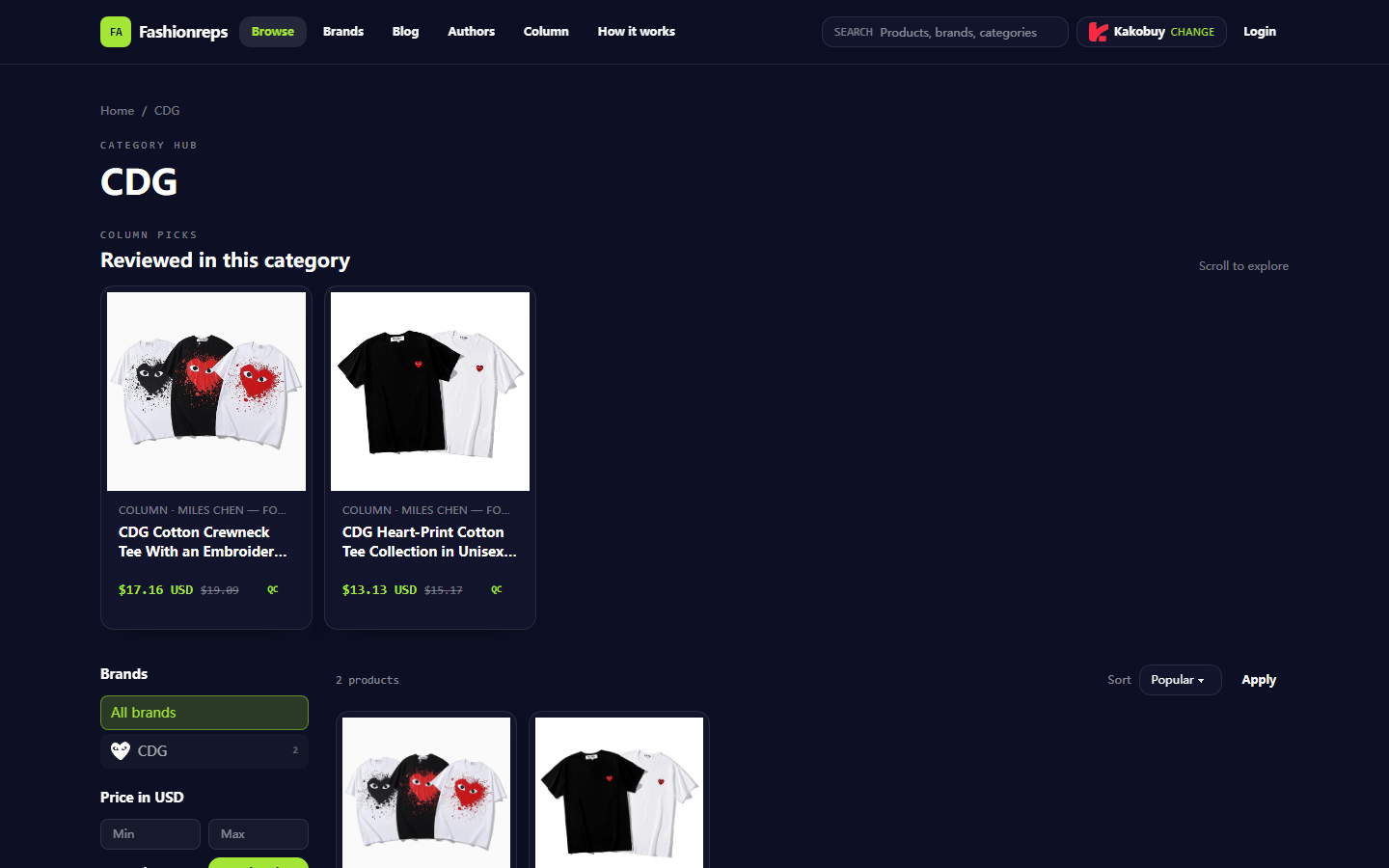
The currently visible CDG category page sample shows two CDG clothing product records, with reference prices and previous reference prices displayed, but the sample does not provide a product record that can be used to confirm CDG belt prices. Therefore, you cannot infer belt price, inventory, color, size, or available discounts from this category page. Product details must be based on the actual product page opened.
It is recommended to save the following information:
- Product name or product code.
- Specific color, size, and quantity.
- Current price and currency shown on the product page.
- Whether the page indicates a promotional price, limited-time price, or that it cannot be combined with other discounts.
- Whether a purchasing platform or shopping agent has been selected before entering checkout.
- Recording time, and specify the destination country and currency.
If the product page redirects, returns an empty page, lacks a clear product name, or has only tags and filter results, it cannot be used as valid product evidence. ⏱️
Finding and Saving the Current Discount Conditions Shown on the Target Site
Fashionreps is mainly used for discovering products and viewing available purchase entries; orders, payment, and shipping are usually handled by the website of the selected shopping agent. Therefore, the product discovery information on the Fashionreps page and the discount rules on the shopping agent's checkout page cannot be confused.
When verifying discounts, proceed in the following order:
- Record the product price and purchase entry on the product page.
- Open the actual shopping agent page that handles the order, and confirm the account, site, and currency.
- Check the official promotion page, coupon center, cart prompts, and checkout page instructions.
- Open the coupon details, and save the applicable scope, threshold, validity period, exclusions, and stacking rules.
- Match the coupon name or code with the page display, and do not save only a screenshot from an unverifiable source.
- If the page has no current official discount information, record only "no verifiable discount found" and continue with the fee breakdown.
Pay special attention to phrases like "up to X off," "maximum discount," "applicable to some products." They do not necessarily mean that the current product meets the conditions, nor that service fees, packaging fees, or shipping will be reduced accordingly.
Verifying Whether Coupons Can Be Stacked with Promotions, Payment Methods, or Service Fees
Stacking rules must be based on the current conditions displayed by the same shopping agent. Do not assume that two pages both showing "discount" means they can be used together.
You can create a pre-checkout checklist:
| Verification Item | What to Confirm | Action if Unconfirmed |
|---|---|---|
| Product coupon | Product scope, minimum amount, validity period, excluded products | Do not count toward estimated savings |
| Site promotion | Whether mutually exclusive with coupon, whether automatically applied | Follow checkout page actual prompts |
| Payment method discount | Specified payment channel, currency, time, and limit | Do not deduct from amount due in advance |
| Service fee waiver | Waiver target, threshold, and whether first-time only | Calculate separately from product discount |
| Shipping or packaging discount | Applicable route, weight, number of packages, and time | Do not treat product discount as shipping discount |
If the page clearly states "cannot be combined with other discounts," treat it as an exclusive condition. If the page does not explain stacking, do not interpret it as stackable on your own. You can try in the cart, but change only one variable at a time, and record whether the system automatically removes the previous discount.
If the discount status is unclear after one submission, do not repeatedly click submit or pay. First, return to the cart and checkout page to check the persistent state, confirm whether an order, pre-authorization, or charge record has been generated, and then decide the next step. This reduces the risk of duplicate orders and duplicate charges. 🛑
Distinguishing Product Amount, Service Fees, Packaging Fees, and Shipping Costs
The final amount due is usually not a simple discount result of the product page price. You should record each amount separately, especially distinguishing service fees charged by the shopping agent, warehouse handling fees, packaging fees, and shipping costs.
| Amount Item | What to Record Before Checkout | Can It Be Directly Offset by Product Coupon? |
|---|---|---|
| Product amount | Quantity, unit price, price corresponding to color or size | Only if rules clearly state so |
| Product discount | Actual reduction from coupon, promotion, or automatic discount | Based on checkout page display |
| Service fee | Charging entity, calculation method, and waiver conditions | Should not be assumed deductible |
| Packaging or warehouse fee | Whether charged per package, weight, or service type | Needs separate confirmation |
| Shipping cost | Route, chargeable weight, channel, and insurance options | Usually cannot be directly offset by product coupon |
| Tax or destination fees | Whether prepaid, who bears, when incurred | Do not estimate as zero |
You can use the following calculation:
Discounted product amount = Product amount − Confirmed product discount
Pre-checkout estimated amount due = Discounted product amount + Displayed service fee + Displayed packaging fee + Displayed shipping cost + Other fees listed on page
This figure is still only the current checkout page estimate. If shipping costs, taxes, or warehouse services need later confirmation, they should be clearly marked as not final, rather than written as a guaranteed amount.
Checking Stacking Prompts and Final Amount Due on the Checkout Page
After entering the checkout page, check the following locations in order:
- Unit price, quantity, and discounted amount in the product details.
- Whether the coupon field shows used, unavailable, expired, or not meeting conditions.
- Whether the promotion discount is automatically retained, or disappears after entering the coupon.
- Whether the payment method discount appears only after selecting the payment channel.
- Whether service fees, packaging fees, shipping costs, and other fees are listed separately.
- Whether the currency and exchange rate basis has changed.
- Whether the final amount due matches the amount near the payment button.
- Whether prompts like "submit order," "authorize payment," or "pay now" appear.
If the total decreases after entering a coupon, but another discount disappears, record the complete amounts for both scenarios, rather than just looking at the individual discount. If the system shows "applied" but the total does not change, do not count it as savings unless the corresponding reduction appears in the details.
Before checkout, you can save the following as evidence: product details, coupon conditions, stacking prompts, fee breakdown, currency, time, and destination country. Screenshots should mask names, addresses, phone numbers, order numbers, payment cards, and other personal information; do not publicly share complete waybills or account information.
When No Current Official Discount Information Exists, Only Set Up Verification Steps
If there is no current official page, checkout page, or coupon details to support, you can only provide verification steps; you cannot fill in guessed coupon codes, nor claim that you will definitely save money.
The pre-checkout process in this case is:
- Record the current price and product status on the product page.
- Enter the coupon center or promotion page of the actual shopping agent.
- Check the coupon's applicable products, threshold, validity period, exclusions, and stacking rules.
- Add the product to the cart, enter the coupon but do not pay yet.
- Compare the product details, service fees, packaging fees, and shipping costs before and after entry.
- Check whether other discounts have been removed.
- Save the final amount due and verification time.
- Only decide whether to continue when the amount, payment method, and order status are clear.
If discount information comes only from search results, third-party posts, expired screenshots, or pages that cannot be opened, mark it as unverified. Historical discounts cannot prove current validity, and other users' account discounts cannot prove that your account can use them.
Saving Query Time and Completing the Pre-Checkout Decision Checklist
Before payment, complete the following checklist:
- [] Product name, color, size, quantity, and current price recorded.
- [] Shopping agent and account site corresponding to purchase entry confirmed.
- [] Coupon source, applicable conditions, validity period, and exclusions saved.
- [] Product coupon, promotion discount, payment method discount, and service fee waiver verified separately.
- [] Checkout page clearly shows whether discount is effective.
- [] Product amount, service fee, packaging fee, shipping cost, and other fees broken down.
- [] Currency, destination country, and query time recorded.
- [] Final amount due consistent with payment area display.
- [] Unverified discounts, estimated shipping, or potential taxes not written as fixed amounts.
- [] Screenshots masked personal information, and no order or payment details disclosed.
If the coupon is indeed effective, record the confirmable actual discount amount; if the coupon cannot be stacked with promotions, choose the option with the lower total amount due and clear conditions; if the two options differ very little, prioritize the one with simpler rules and more transparent subsequent fees. If there is no current official information or the checkout page prompt is unclear, the safest decision is to hold off on payment and wait for rules to be clarified, rather than relying on unverifiable discount promises. ✅
Community feedback
5 approved
Reader score 3.6 / 5 (5 ratings)